
How to turn off two-factor authentication for Apple ID
Some friends share their ID with friends and find that two-factor authentication has been enabled, which is frustrating to cancel. Here are the relevant tutorials.
Note: If two-factor authentication was enabled within the last 2 weeks, it can be turned off. After more than 2 weeks, it cannot be disabled!!!
Method 1: Disable two-factor authentication via security questions on the Apple official website.
Open the official website in your browser: https://iforgot.apple.com/
Enter the Apple ID you want to disable——Continue
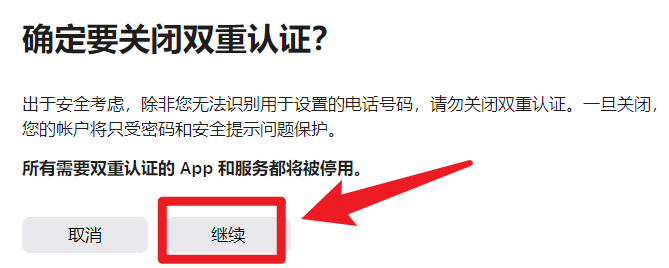
Then select "I don't recognize this number"——In the pop-up, choose "Turn Off"
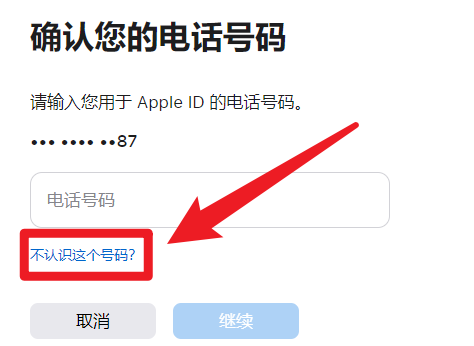
Enter the following security information:


Confirm to disable two-factor authentication
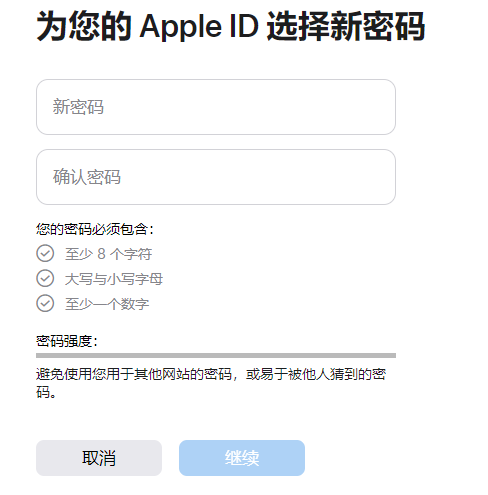
Enter a new password to complete the process
Method 2: Disable two-factor authentication via the email linked to your ID
Access the email associated with your ID, find the email sent by Apple titled [Two-Factor Authentication Enabled for Your Apple ID], click the link [Return to Previous Security Settings] in the email——Enter a new password to disable it!
 Telegram bot
 Scan for bot