
iCloud access restriction cannot log out (displayed in gray)
In some cases, when you want to sign out of your iCloud account on iPhone and iPad, you may find that the "Sign Out" button in the iCloud settings page becomes unavailable, and a message appears below the button saying "Unable to Sign Out Due to Access Restrictions."

This situation typically occurs on iCloud accounts of minors where "Screen Time" restrictions have been enabled.
To resolve this issue, it's quite simple: just disable "Screen Time" for the corresponding family member's iCloud account under the parent's iCloud account.
Note: Another scenario is if you have restricted Settings from accessing the network, this can also cause the issue!
Here are the steps:
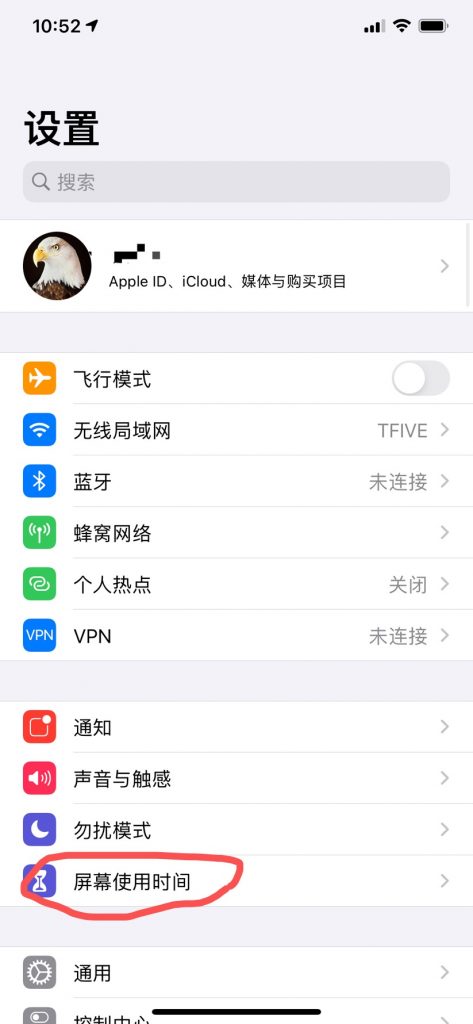
1. On the iOS device signed in with the parent's iCloud account, select "Screen Time";
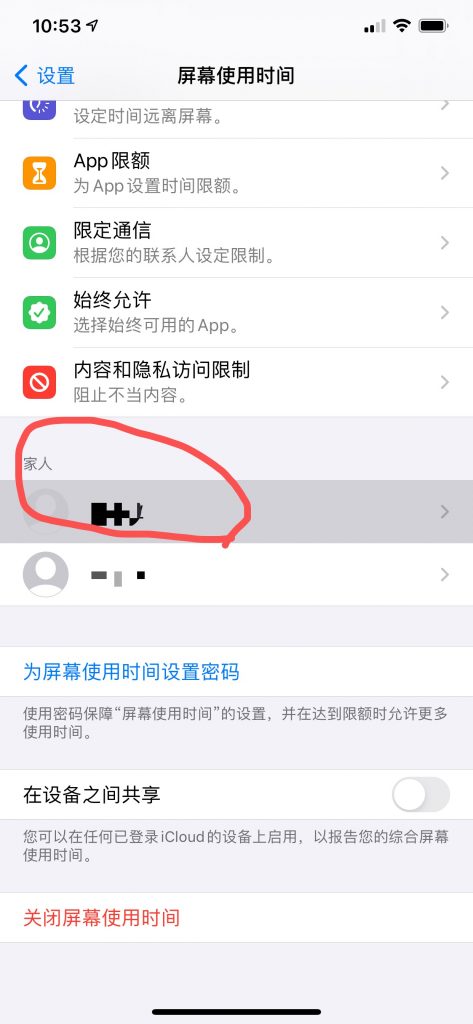
2. In the "Family" section, select the iCloud account for which you want to disable Screen Time;
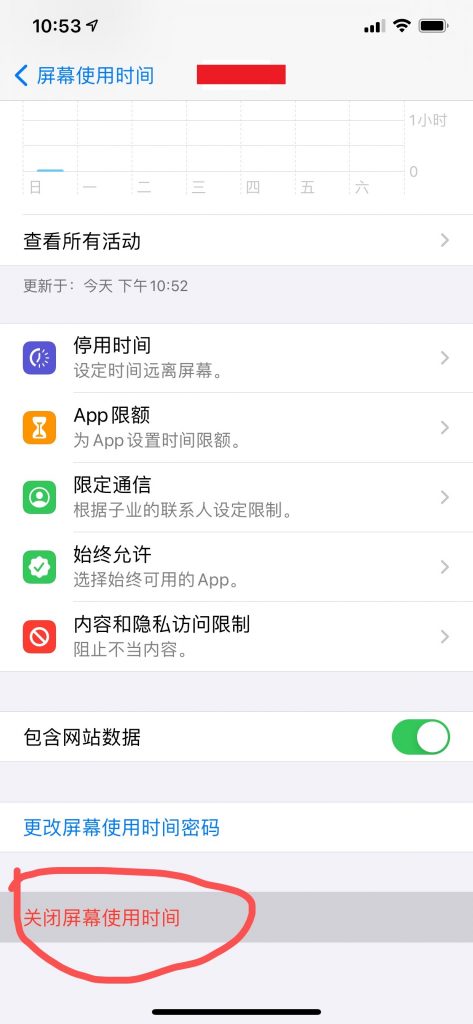
3. Tap the red "Turn Off Screen Time" option at the bottom;
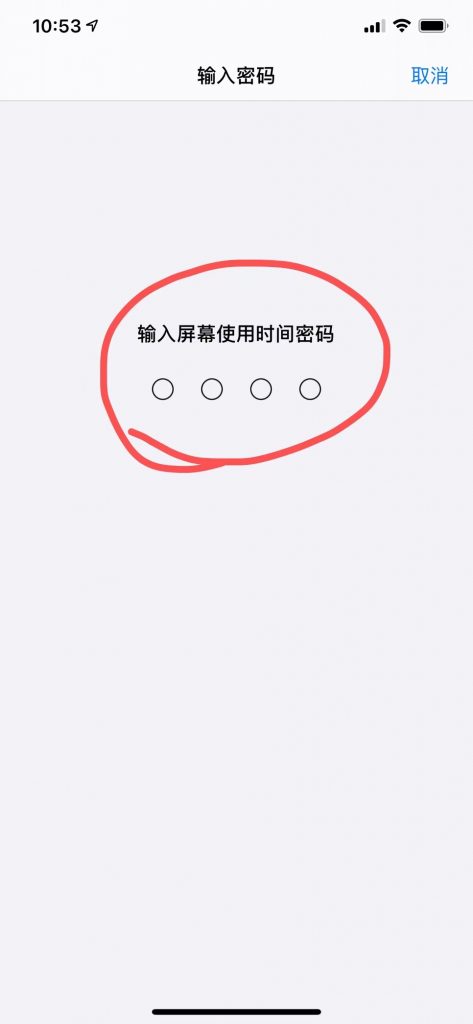
4. Enter the Screen Time passcode for that family member as prompted.
(If you've forgotten the passcode, you can tap "Change Screen Time Passcode" on this page.)
 Telegram bot
 Scan for bot