
Solutions for when this Apple ID has been disabled or is not in an active state.
How to Fix "This person is not active" or "This Apple ID is not active" for Overseas Apple IDs
This is caused by Apple's security mechanism being triggered. To avoid this situation, please be sure to update your security questions, bind a security email, or enable two-factor authentication to reduce the risk of being flagged. Why do we say this? Because in the past, when this issue occurred, we would simply contact domestic Apple support to resolve it. Recently, however, domestic Apple support no longer helps us contact overseas support, so resolving this issue through domestic support is now basically impossible. Domestic support has also repeatedly told us that using an overseas Apple ID in China violates Apple's terms, so the risk of ID suspension cannot be completely avoided. Therefore, following our login tutorial is key to avoiding being flagged. Tutorial for Correctly Logging into the App Store to Download Apps with an Apple Account
Solutions are as follows:
Preparation before proceeding:
1. For more accurate handling by the support representative, please first change your phone language to English, then try logging into your Apple ID again and take a screenshot of the error message, as shown below (screenshots in Chinese won't work—there's a translation issue; this doesn't mean "disabled," it means "not active"):
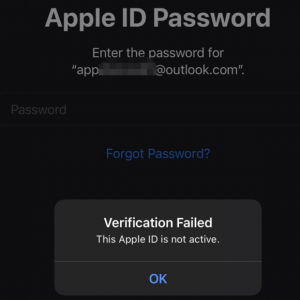
2. Search on Baidu for an American name in English, and also find an address and postal code for Singapore, Malaysia, or Taiwan. (If I encounter a representative with a poor attitude toward Chinese people, I suggest you say you're from Singapore, Malaysia, or Taiwan.)
3. Usually, the first representative you reach only provides basic information, and then you'll be transferred to a senior advisor who actually handles the issue. Remember to keep a friendly attitude!!!
Method 1:
Call Apple iCloud technical support at: 001 8002752273. Prerequisites: 1. Fluent English and international roaming enabled on your phone. 2. Security information for the overseas ID (including date of birth).
Method 2:
Contact Apple technical support via the web, using basic English words and communicating through translation software. Prerequisites here are: 1. A PC or Mac. 2. A VPN (v,p-n). 3. Security information for the overseas ID (including date of birth). Steps to begin: ① Turn on the VPN, preferably in global mode (to ensure the Apple website goes through the VPN), and open the Apple website in Google Chrome: https://appleid.apple.com/us/ Click "FAQ" in the top right corner.
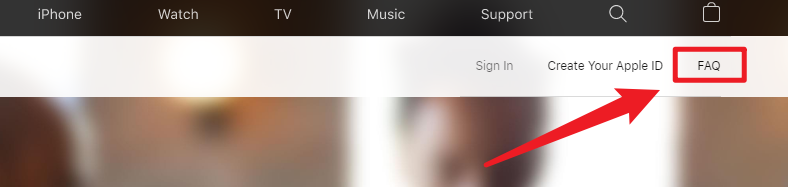
Scroll to the bottom and click "visit Apple SupportOpens in a new window".

Scroll to the bottom and click "Get support".
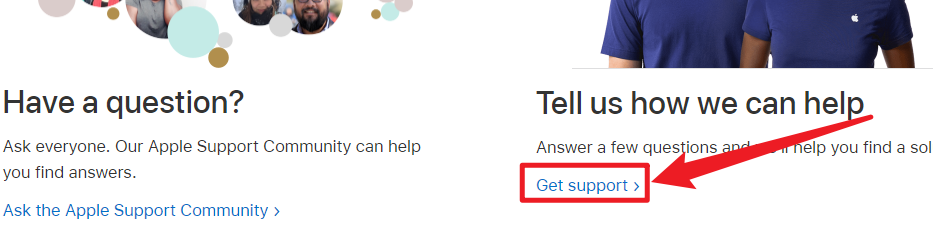
Click "Disabled Apple ID".
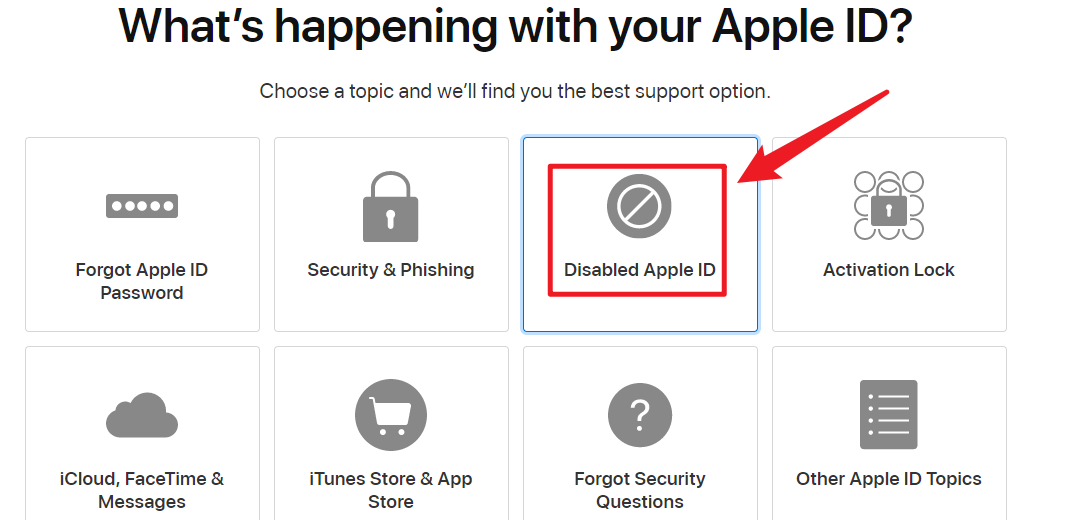
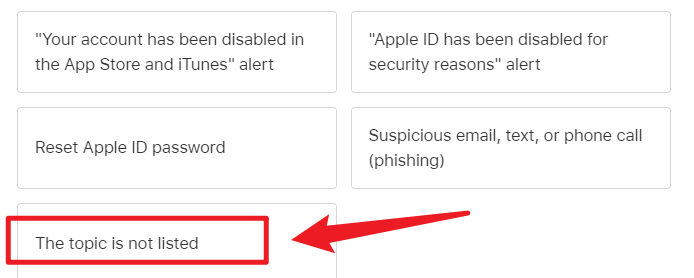
Click "The topic is not listed" [If no response from support appears within 5 minutes after clicking "The topic is not listed," it's recommended to choose the first option in the image below].
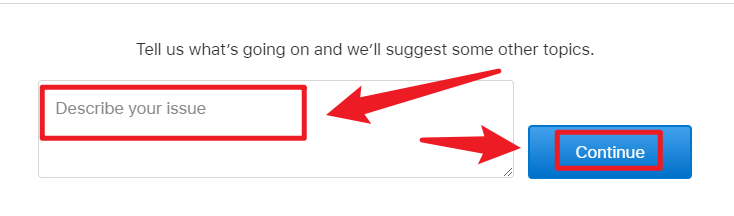
Enter your ID issue here, use Baidu's online translation to translate it, and click continue.
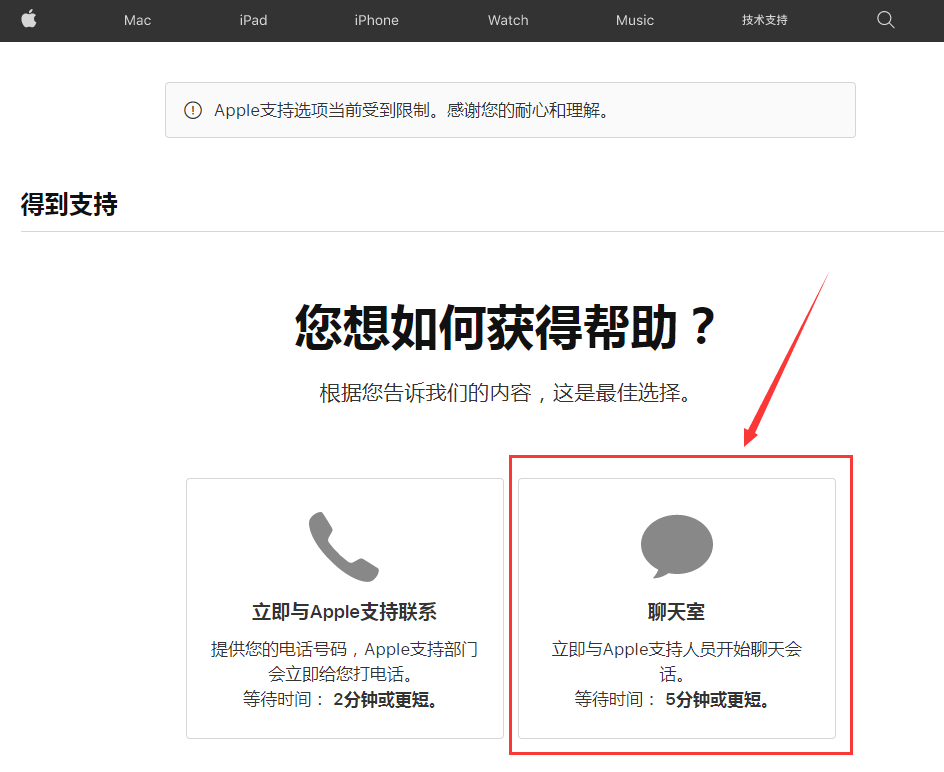
Then select chat; it shows that a representative will reply within about 5 minutes (if this screen doesn't appear, please switch to a different IP and follow the steps again to get here). Sometimes there may be no chat available—that means US Apple support is off duty! US support hours are: 9:00-21:00, based on the current time in California, USA! Also, if the wait time shows about 5 minutes, it's typically a US representative; if it shows 2 minutes, it's a Chinese representative. If it's a Chinese representative, repeat the previous steps again.)[It's been proven that the 2-minute representatives can also help us resolve issues—just be polite, don't rush, and say thank you often. Usually, it can be done within half an hour!]
After that, a chat window will appear—use Baidu Translate to chat with the Apple representative. Roughly, you'll first provide your Apple ID account, then they'll check the ID's status. Then they'll verify your identity, requiring ID information (name, date of birth, security questions). After that, they'll help resolve the issue. They might say it's done, but you may still not be able to download apps, so after they say it's resolved, be sure to log into the ID in the App Store to check if you can download an app. If it works, you're done; if not, ask them to fix it promptly. It's really not that hard—just follow our steps and use translation software. If your time is valuable and you don't care much about this ID, you can purchase a new Apple ID from our website. Our store's URL is Xiaohaoduo Platform
 Telegram bot
 Scan for bot