Tutorial on How to Correctly Log in to the App Store with Your Apple ID to Download Apps
After obtaining an Apple ID from another region, we often worry about how to use it, where to log in, how long it will last, and how to avoid being banned. This article provides a comprehensive answer to these questions.
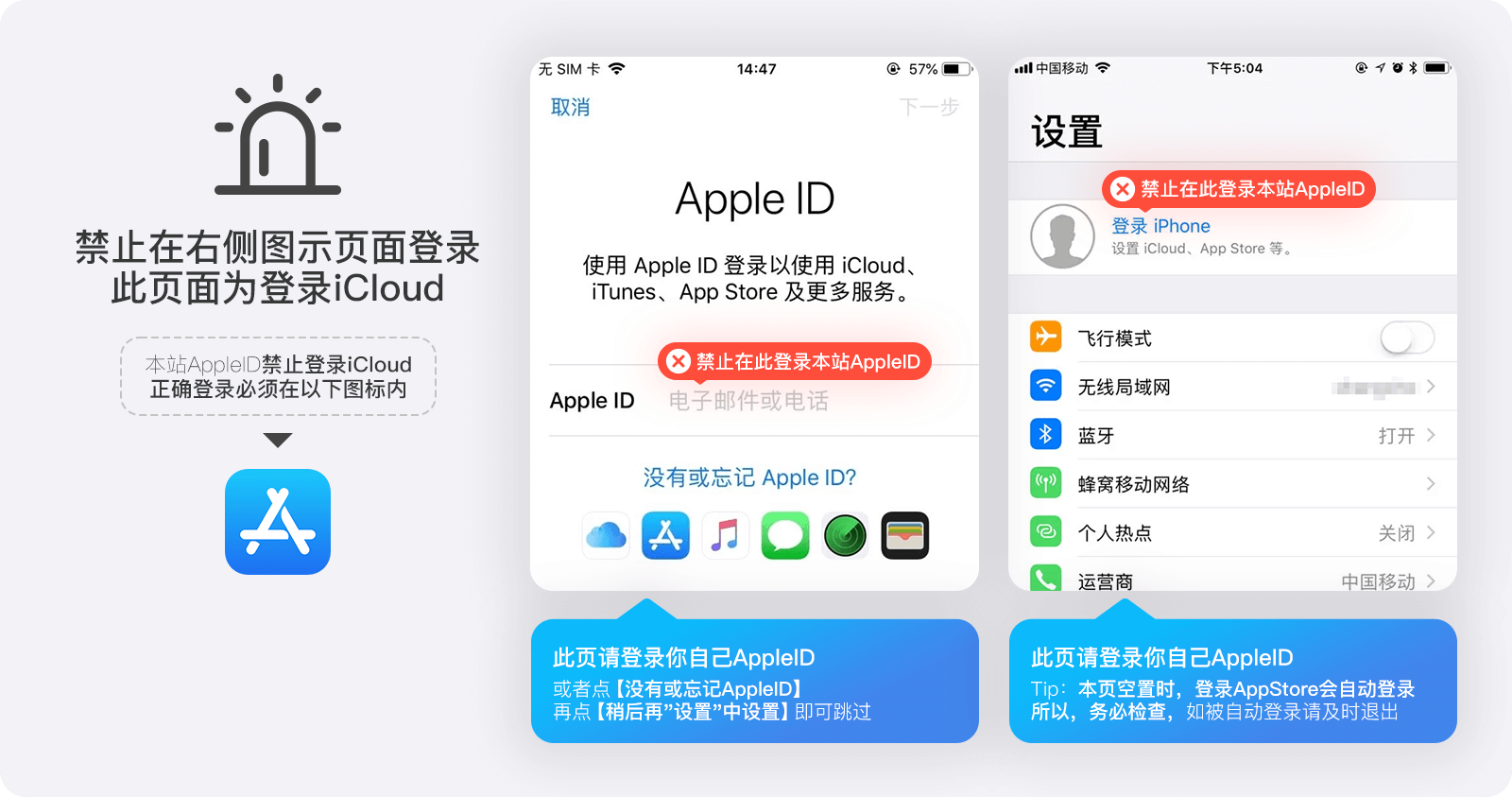
Incorrect login method - do not log in via Settings to avoid device lock and financial loss
Correct login method
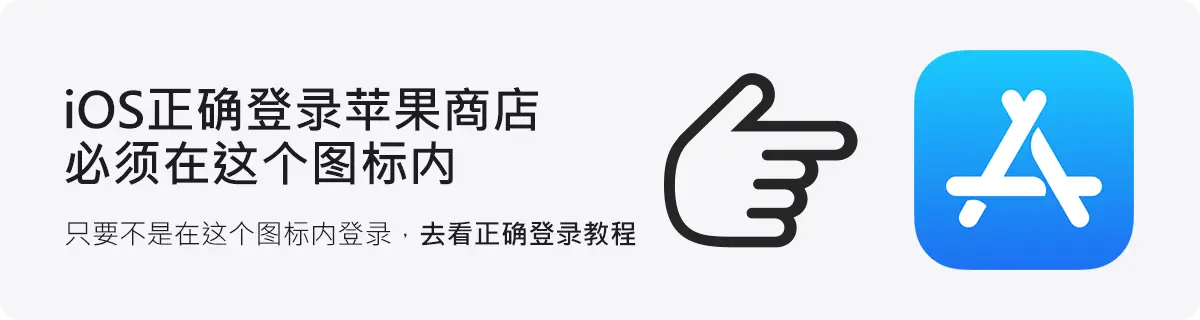 【Important Notes】 Due to Apple's risk control measures, please do not log into iCloud via Settings to avoid account suspension and device lock risks! Both new and old IDs may appear inactive. If your account is within the warranty period, we will replace it for free. If your account is outside the warranty period, please try to activate it yourself!
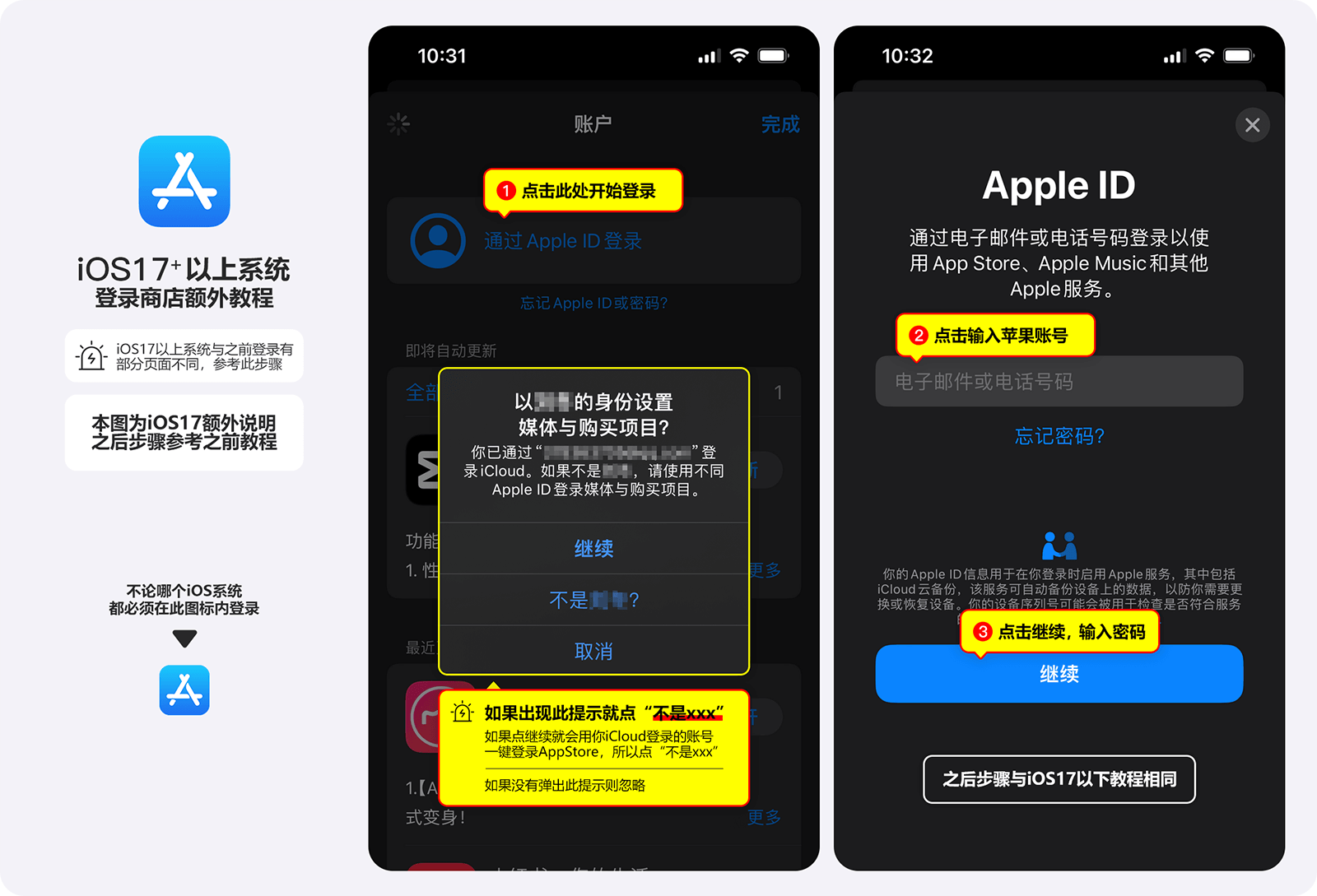
Correct App Store login tutorial (as shown below)
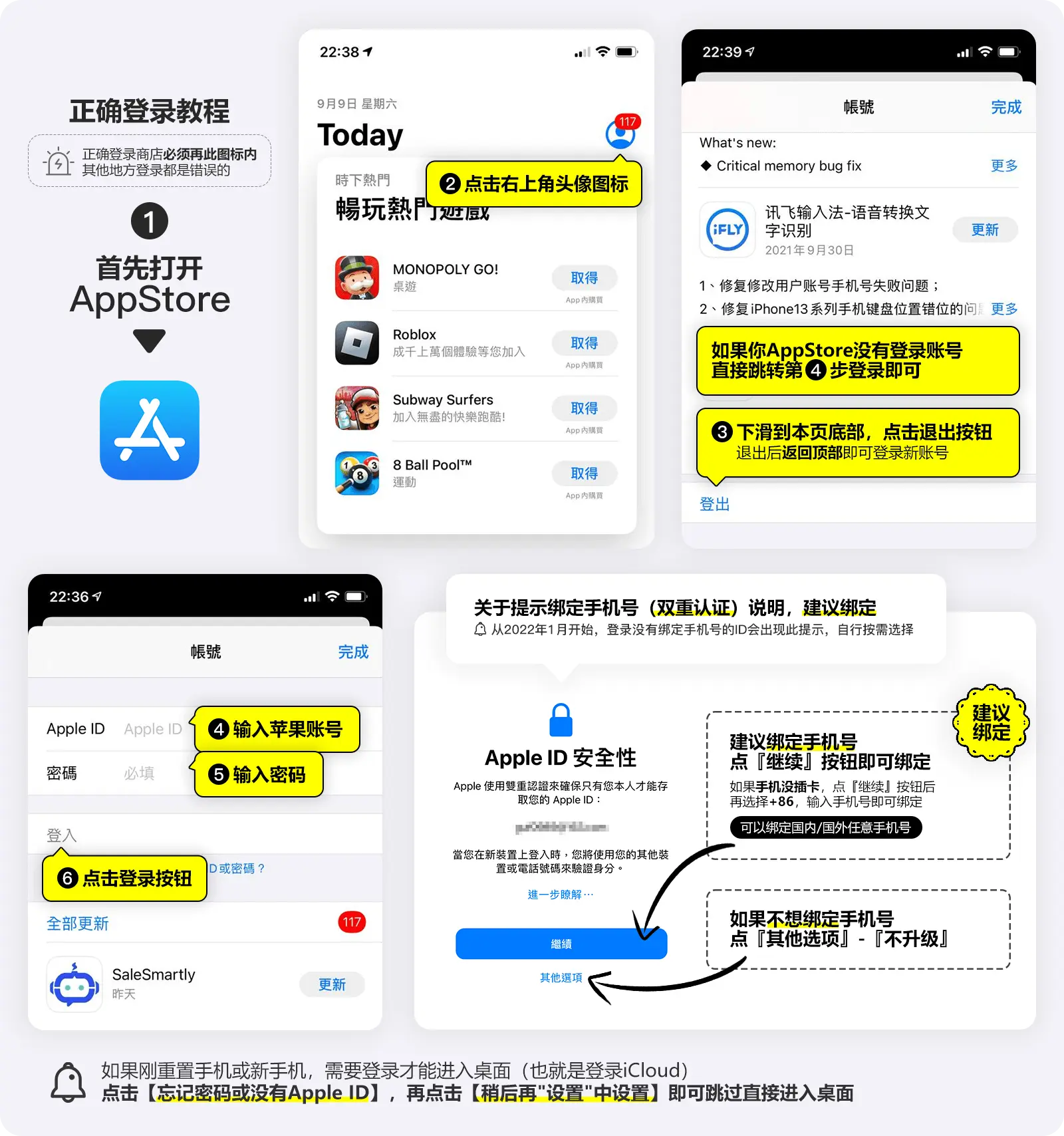
Devices with iOS 17 or above have a slightly different interface - refer to the image below to log in
Instructions on binding a phone number
If you need to bind a phone number (recommended), click the Continue button and follow the on-screen prompts to enter your phone number. Note that when entering the phone number, select China +86 (Tip: binding a phone number from any country will not change the country/region of your Apple account). Of course, if you have a phone number from another country, you can select the corresponding country code.
Security issues
1. It is recommended to only log in to the account in the App Store. Do not log in to the account in 【Settings】
This effectively prevents risks such as data leakage, device lock, and the domestic system changing the region of the foreign ID to the China region.
2. If prompted for an incorrect password, check whether the account and password are entered correctly. Pay attention to distinguishing between 1 and i, and 0 and o.
3. If login is slow or cannot connect, it is basically a network issue. You can switch between 4G and WiFi and try a few more times.
4. If you encounter a (disabled - locked) message when using a purchased ID, go to the Apple official website and reset the password through security questions.
5. If you cannot update apps after logging in with a new ID, check whether the app being updated was previously downloaded with a shared ID.
Apple app downloads are tied to the ID. Apps downloaded with a specific ID must be updated with that same ID.
The solution is to uninstall the app and re-download it with the newly logged-in account.
Other related issues
- Apple ID login shows "Unable to log in"? Or keeps loading?
Method 1: Turn on Airplane Mode, then turn it off! Then try logging in again. Still not working? Restart your phone and try again. Method 2: Go to "Settings" -> "iTunes & App Store", scroll to the bottom, tap "Learn how to manage data", then tap "Done"! Then try logging in again. Method 3: Switch between WiFi and mobile data, and try logging in multiple times!
- Login shows "Incorrect account or password"?
Most likely you entered it incorrectly! Carefully check the account and password! Pay attention to uppercase and lowercase letters! Do not enter spaces! 【The account and password are not wrong!】
- How do I log in to download software?
Open the App Store, tap the profile icon in the top right corner, scroll to the bottom and tap Sign Out! Then tap the profile icon again and enter the account and password to log in!
- 【Warning】Do not log in via "Settings"!!!
Logging in via Settings is prohibited. You will bear the consequences! Do not ask me for help, because even if you ask, there is nothing I can do - you will have to contact Apple official support or go to after-sales service!
- When updating apps, it shows "Your account has been disabled in the App Store and iTunes".
Apple app downloads are tied to the ID. Apps downloaded with a specific ID must be updated with that same ID. The solution is to uninstall the app and re-download it with the newly logged-in account.
- How to avoid your foreign-region Apple ID being banned
Do not modify the account immediately. Do not log in via Settings. Do not share the ID with others. If you follow these three points, you can keep your foreign-region ID for a long time.

 电报咨询
电报咨询 微信咨询
微信咨询 Line咨询
 whatsapp